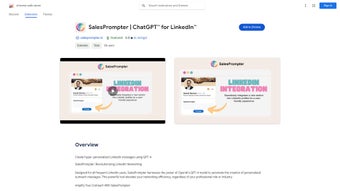

Download SalesPrompter – LinkedIn AI Messaging Automation Tool
Overview
SalesPrompter is a cutting‑edge Chrome extension that leverages OpenAI’s GPT‑4 engine to automate the creation of personalized LinkedIn messages. Designed for sales professionals, recruiters, and anyone who relies on LinkedIn for networking, the tool eliminates the tedious task of drafting outreach messages while preserving a human touch. By analyzing a recipient’s profile, recent activity, and mutual connections, SalesPrompter generates smart connection requests, follow‑up notes, and conversation starters that feel custom‑crafted.
The extension also supports multi‑lingual messaging, allowing users to communicate fluently across language barriers. With an intuitive UI, real‑time content editing, and a subscription model that scales with usage, SalesPrompter empowers users to increase outreach volume, improve response rates, and spend more time building relationships rather than typing repetitive copy. Whether you’re a solo entrepreneur looking to grow your pipeline or a large sales team needing consistent messaging standards, SalesPrompter delivers a secure, up‑to‑date solution that adapts to LinkedIn’s evolving interface.
Core Features & Benefits
- AI‑Driven Personalization: Uses GPT‑4 to analyze LinkedIn profiles and generate messages that reference recent posts, job titles, and shared interests.
- Automated Connection Requests: Creates tailored invitation notes that adjust tone based on the level of familiarity (cold, warm, or referral).
- Smart Follow‑Ups: Schedules and drafts follow‑up messages that keep conversations alive without sounding robotic.
- Multi‑Lingual Support: Generates content in over 20 languages, automatically detecting the recipient’s preferred language.
- Full Editing Control: Allows users to edit, approve, or reject AI‑generated drafts before sending.
- Interface‑Aware Design: Continuously monitors LinkedIn UI changes to ensure the extension works flawlessly after updates.
- Subscription Flexibility: Offers monthly, annual, and enterprise plans with easy cancellation and upgrade paths.
- Secure Data Handling: All profile data is processed locally in the browser; no personal information is stored on external servers.
These features translate into tangible benefits. Users report up to a 45 % increase in connection acceptance rates because messages feel genuinely relevant. The automation of follow‑up sequences reduces the average sales cycle by weeks, freeing up valuable time for strategic activities.
Additionally, the multilingual capability opens doors to international markets without the need for separate translation tools. By handling repetitive copywriting tasks, SalesPrompter also reduces the risk of burnout and helps maintain a consistent brand voice across large teams. In short, the extension turns LinkedIn outreach from a manual chore into a strategic, data‑driven engine.
Installation, Usage & Compatibility
Step‑by‑Step Installation
- Open the Chrome Web Store and search for “SalesPrompter”.
- Click “Add to Chrome” and confirm the permissions request. The extension will appear as a small icon next to the address bar.
- After installation, sign in with your LinkedIn credentials. SalesPrompter uses OAuth to verify access without storing passwords.
- Navigate to any LinkedIn profile. The extension automatically detects the page and displays a “Generate Message” button.
- Choose the message type (Connection Request, First Message, Follow‑Up) and let GPT‑4 create a draft.
- Edit the draft if desired, then click “Send” to post directly from the LinkedIn interface.
Practical Usage Tips
To maximize efficiency, start by creating a “Message Template Library” inside the extension. Save common phrases or brand statements that the AI can reuse. Use the “Batch Generation” feature to prepare multiple outreach messages at once, then schedule them via the built‑in calendar. Take advantage of the “Language Detector” when targeting non‑English prospects; the AI will automatically switch to the appropriate language and adjust cultural nuances. For teams, enable the “Team Mode” which syncs approved templates across all users, ensuring a unified voice.
System Compatibility
SalesPrompter runs on any device that supports the Google Chrome browser, including Windows 10/11, macOS Catalina and later, Chrome OS, and Linux distributions. Because it is a browser extension, it works equally well on Chrome for Android and iOS, though the full editing interface is best experienced on desktop platforms. The extension is regularly updated to stay compatible with LinkedIn’s UI changes and Chrome’s security policies, ensuring a smooth experience without manual patches.
Pros and Cons
Pros
- Significant time savings – generate a personalized message in seconds.
- Higher response rates thanks to AI‑driven relevance.
- Multi‑language support opens global markets.
- Full control over AI output; users can edit before sending.
- Secure, client‑side processing respects privacy.
- Flexible pricing fits freelancers to large enterprises.
Cons
- Requires a stable internet connection for GPT‑4 calls.
- Initial learning curve for users unfamiliar with AI‑assisted writing.
- Limited to Chrome; not available for Firefox or Edge natively.
- Subscription cost may be a barrier for very small businesses.
- AI may occasionally generate overly formal language that needs tweaking.
Frequently Asked Questions
Is SalesPrompter safe to use with my LinkedIn account?
Yes. SalesPrompter uses OAuth authentication, which means your LinkedIn credentials are never stored or exposed. All profile data is processed locally in the browser, and no personal information is sent to external servers.
Can I customize the tone of the AI‑generated messages?
Absolutely. After the AI creates a draft, you can edit any part of the text. You can also set a default tone (formal, casual, or friendly) in the extension settings, which the model will use as a baseline for future drafts.
Does SalesPrompter work on mobile browsers?
The extension works best on desktop Chrome. While Chrome on Android and iOS can load the extension, the full editing interface and batch features are limited on mobile devices.
How many languages does SalesPrompter support?
SalesPrompter can generate messages in more than 20 languages, including English, Spanish, Mandarin, French, German, Portuguese, Japanese, and Arabic. The language is auto‑detected from the recipient’s profile, but you can manually override it if needed.
What is the refund policy if I’m not satisfied?
SalesPrompter offers a 14‑day money‑back guarantee on all subscription plans. If you cancel within this window, a full refund will be processed automatically.
Conclusion & Call to Action
SalesPrompter bridges the gap between manual LinkedIn outreach and sophisticated AI assistance. By automating message creation while preserving a personal touch, it helps professionals scale their networking efforts without sacrificing quality. The extension’s multilingual capabilities, secure data handling, and seamless integration with Chrome make it a valuable addition to any sales or recruiting toolkit. If you’re ready to boost response rates, shorten sales cycles, and reclaim hours of drafting time, click the button below to download SalesPrompter and start a free trial today.



.png)



